steins.gg.steins.gg was shut down because the .gg domain was expensive to maintain and I could no longer keep operating the site.
I released Steins.GG, a PUBG match analysis system!

In addition to the match stats aggregation, display, and analysis features from the old 404system analysis system—which had been available only to specific PUBG teams and supported everything from a single match to multiple matches—I released this as a tool anyone can use, with features such as checking initial drops and visually reviewing on a map which teams made what rotations and when!
I will keep adding new features and improvements, so please feel free to send requests!
Table of Contents
Open Table of Contents
Where Can I Use It?
Search for https://steins.gg/pubg/!
Feature Overview
Match Stats Summary
Aggregates and displays stats for the selected matches (multiple matches can be selected). The results are sorted by score in descending order using a deviation-value-style metric (custom calculation).
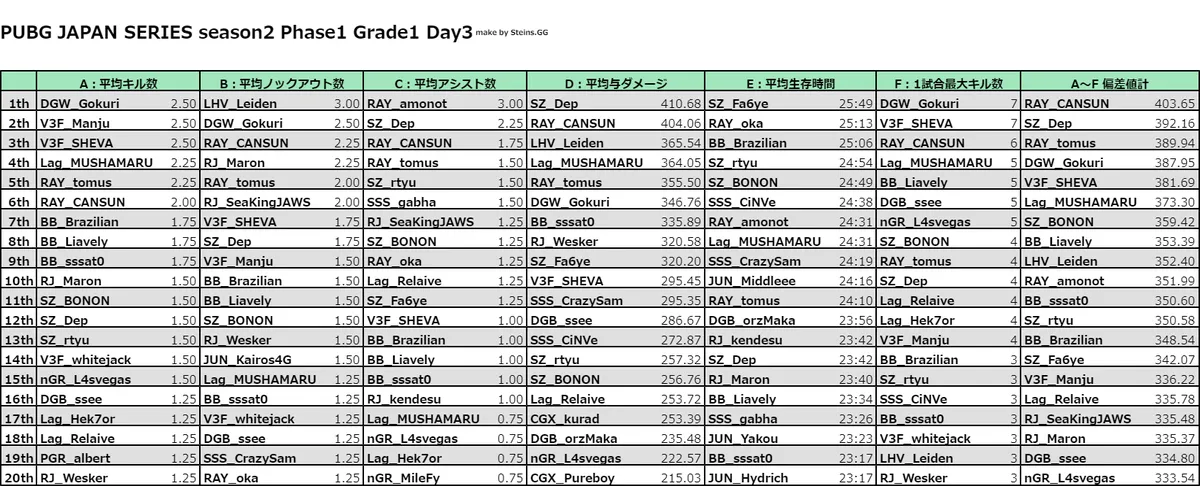
Source post: Post on X
Detailed Individual Performance Analysis
Aggregates and displays detailed individual performance for the selected matches (multiple matches can be selected).
In addition to the usual kills, assists, and damage, you can check things like what means of transportation a player used and how far they traveled, or which weapons hit which body parts and how many times!
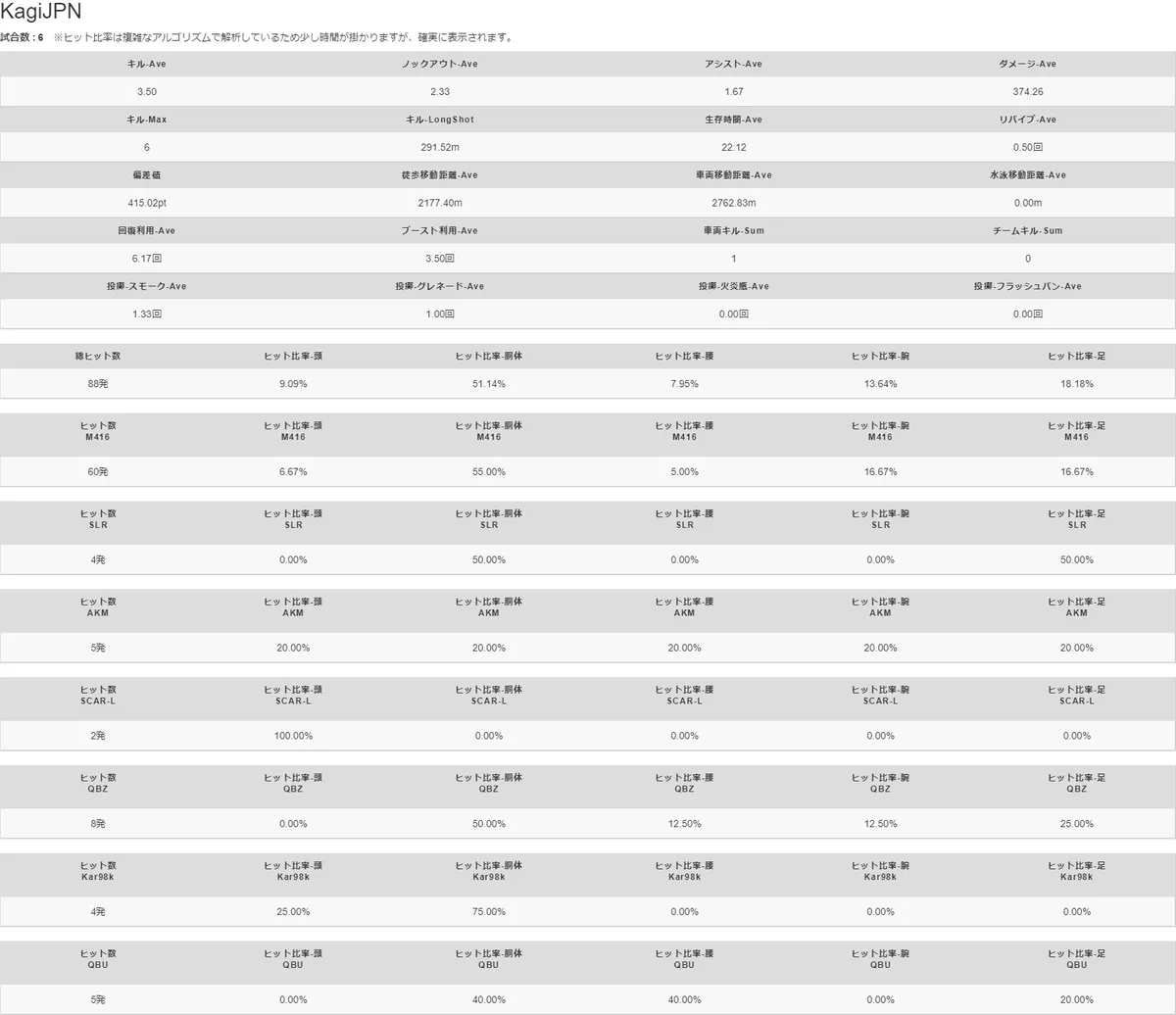
Source post: Post on X
Initial Drop Analysis
You can check each player’s initial drop position. The displayed position is the coordinate at the moment they touched the ground. Use it to review landmarks, analyze which buildings players landed on, which roads they took to secure vehicles, and more.
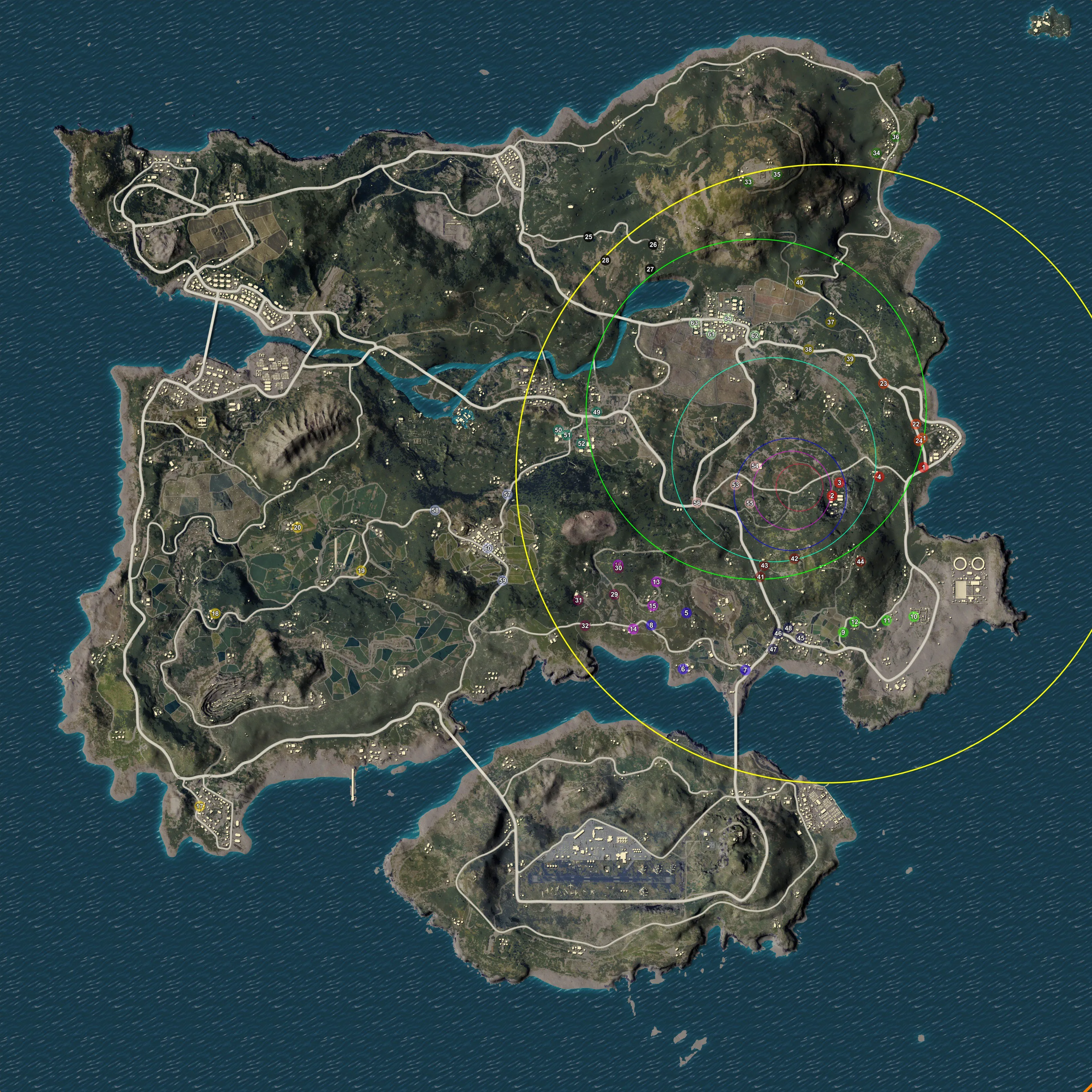
Source post: Post on X
When a player is hard to find, click a team in the player list below the map to show the position with a red arrow. You can zoom the map in and out with the mouse wheel.
Position to Time
You can check each player’s position at any time after the match starts (for example, 12 minutes and 46 seconds). Click the target team from the player list below the map to display its position at that point in time. You can move backward and forward in time by moving the time slider at the bottom of the screen.
Source post: Post on X
Rotation Analysis
Each team’s rotations (movement routes) can be checked by phase.
The line color is separated by phase, and the color changes when the phase changes. Example: a blue movement line outside the blue-phase circle means the team is moving while taking blue zone damage.
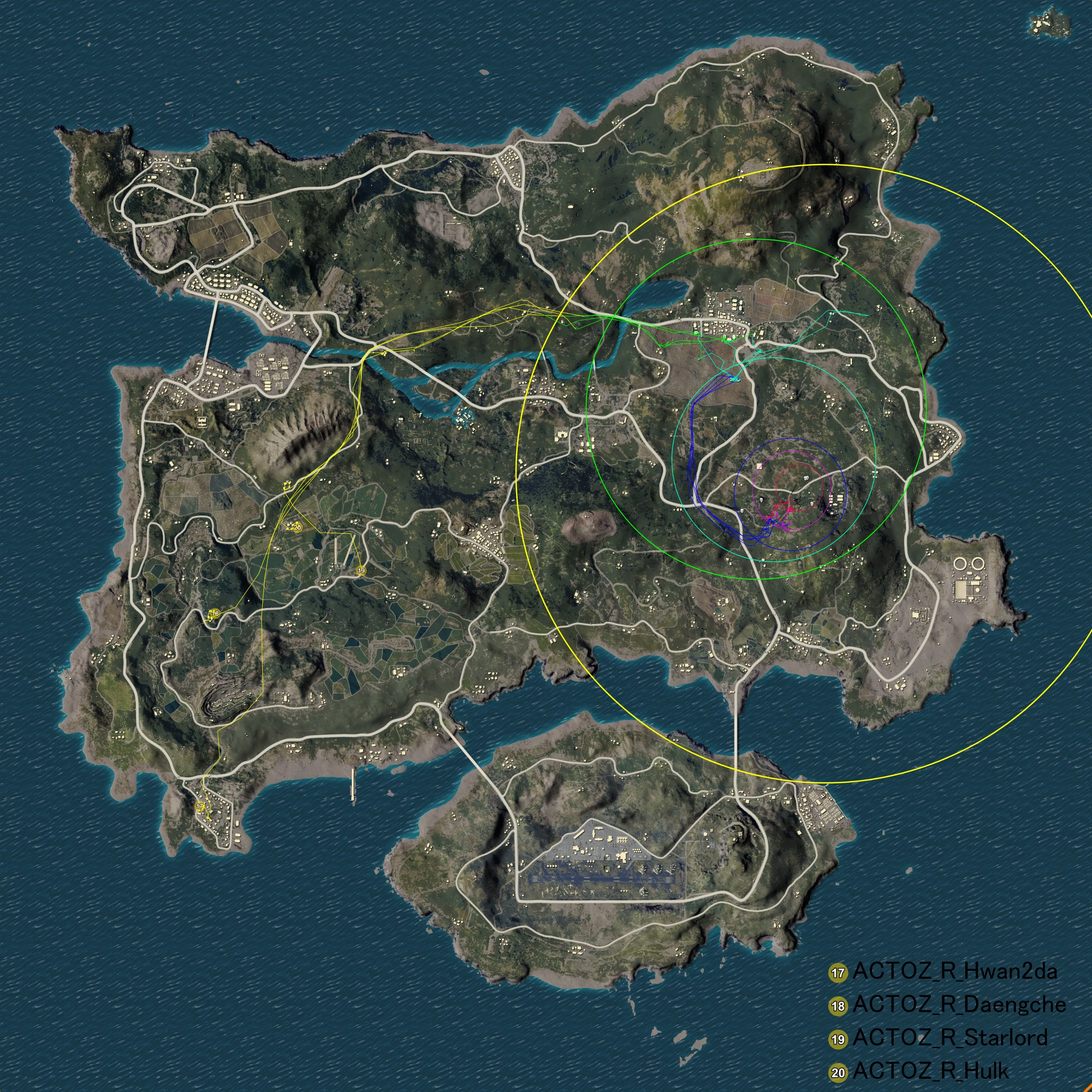
Source post:
Post on X
Click the target team from the player list below the map to display the corresponding route.
Update (2020/1/15)
Public service availability for Steins.GG (formerly 404system) has ended.
The fact that I was able to keep the service publicly available for over a year, including during the old service era, was thanks to everyone who used it.
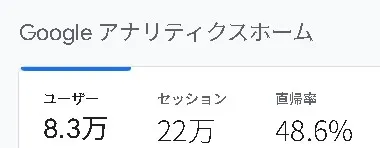
It was a very valuable experience to provide a service that received visits from more than 80,000 users.
I published a retrospective about the development and operation of Steins.GG, so please check it out if you are interested!
How I Built the PUBG Match Analysis Web App Steins.GG and Operated a Site with 80,000 Total Users
How I Built the PUBG Match Analysis Web App Steins.GG and Operated a Site with 80,000 Total Users
Update (2020/3/8)
After receiving many requests from users who wanted to use Steins.GG again, I republished it as a limited-access tool. The reason it is limited-access is that I need to restrict the number of users in order to keep server maintenance and operating costs as low as possible.
My motivation has also returned, so I plan to add new features and more. If you are interested, please contact me on Twitter.
![[PUBG] I Gave the Limited-Release Match Analysis System a Massive Update](https://blog.devkey.jp/en/posts/renewal-steinsgg/index.png)
![[PUBG] I Revived the Steins.GG Match Analysis System as a Limited Release](https://blog.devkey.jp/en/posts/steinsgg-is-back/index.png)
![[PUBG] Lessons from Building and Operating Steins.GG, a Match Analysis Web App with 80,000 Cumulative Users](https://blog.devkey.jp/en/posts/steinsgg-lessons-learned/index.png)
![[PUBG] How to Create an API Key](https://blog.devkey.jp/en/posts/how-to-create-pubg-api-key/index.png)