



I massively improved and renewed the features that were popular on Steins.GG, rebuilt them as a new analysis system, and am releasing it as a limited-access version!
To reduce fixed operating costs, the site is available only through limited access. Please contact me by replying on Twitter or sending a DM!
I developed a renewed system that extracts SteinsGG’s map-analysis features!
- Check initial drops
- Check player positions at each point in a match.
- Display tracking lines showing which routes teams took
You can check all of this!
It turned out about 10 times better than SteinsGG, so reply if you want to use it! pic.twitter.com/qJVaEove0I
— K5N (@KagiJPN)
April 14, 2020
Table of Contents
Open Table of Contents
Feature Overview
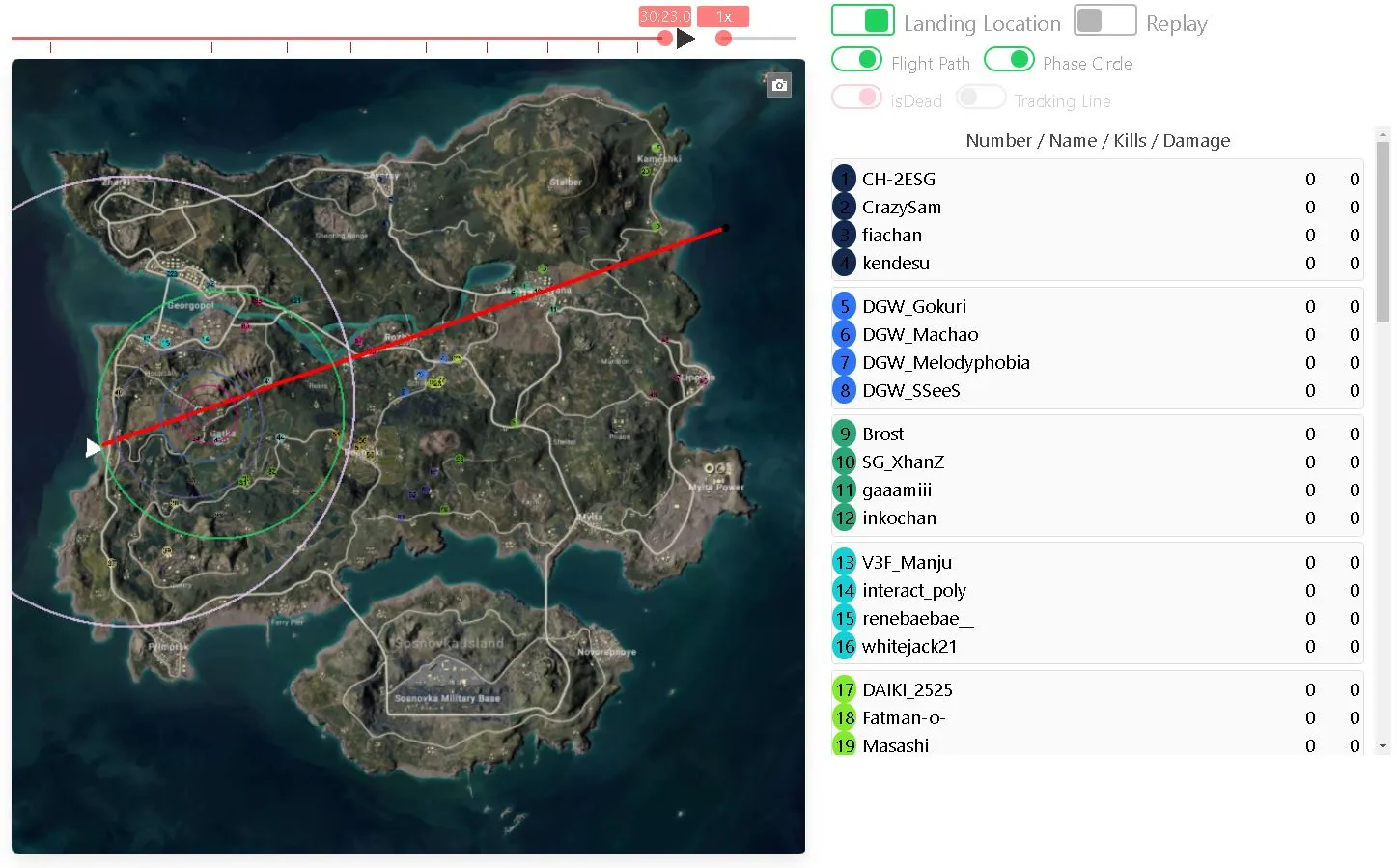
Check initial drop locations
You can display each player’s initial landing location on the map. You can see at a glance when teams’ initial drops overlap, and how drops are spread out relative to the flight path.
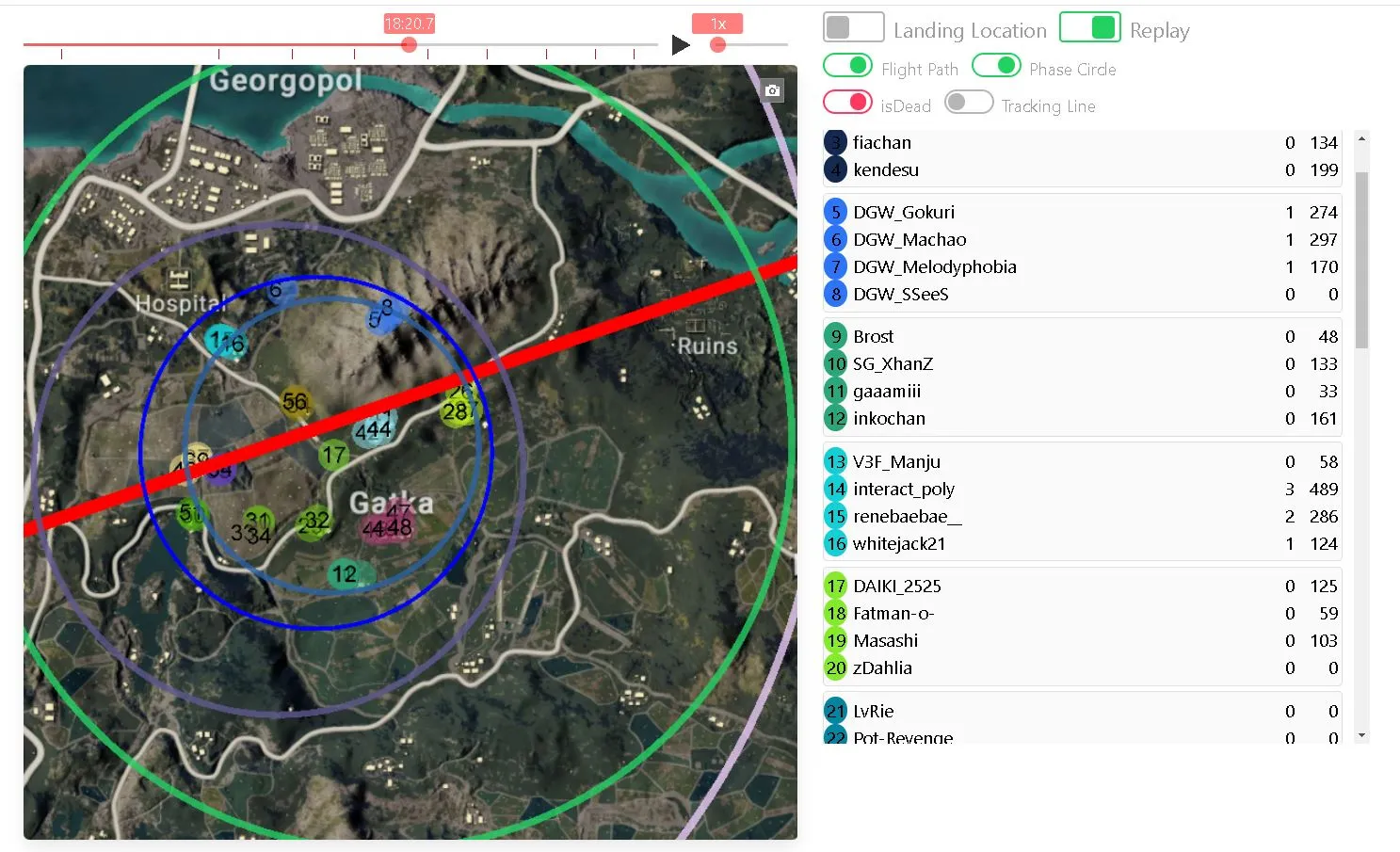
Check player positions at each point in match time
While scrubbing through match time, you can check the positions of all players at that moment in 0.1-second increments.
You can also jump to each phase, or to the exact moment when a kill/death event happened, with a single click!
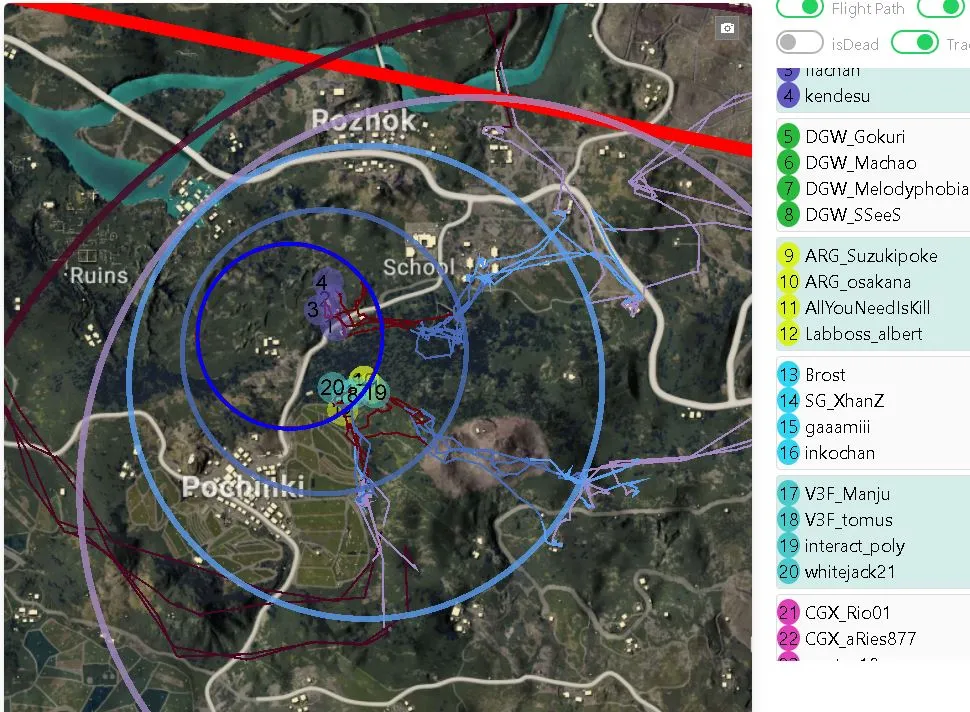
Display tracking lines showing which routes teams took
You can display lines showing which route each team took in 0.1-second increments!
Because the lines are shown in the same color as each phase, it is easy to tell whether a team rotated early or entered the circle late!
Use it for analysis like “which route did they take to approach?”, “where did traffic jams happen?”, or “how did they get into the strong position?”.
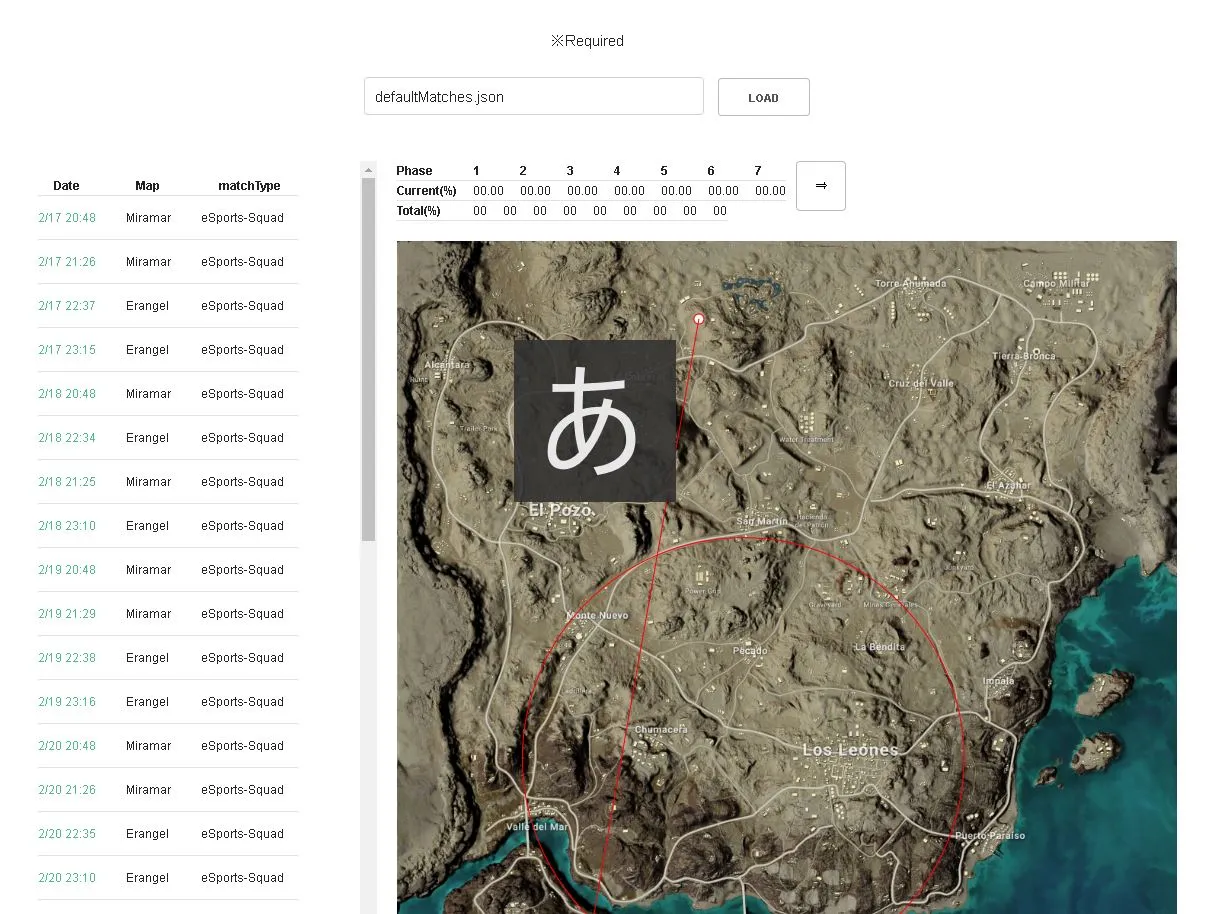
Blue Zone prediction practice
This is a practice feature that lets you repeatedly work on “next-circle reads” using past match data.
You can practice by placing your own prediction for the next circle (red circle) against the current Blue Zone (white circle) and trying to hit the mark.
- Because you can choose matches from the match list and practice on them, it is easier to grasp reading tendencies by map and match type (tournament data is also available)
- Prediction accuracy is visualized as % (Current / Total), so you can track improvement in your prediction accuracy numerically
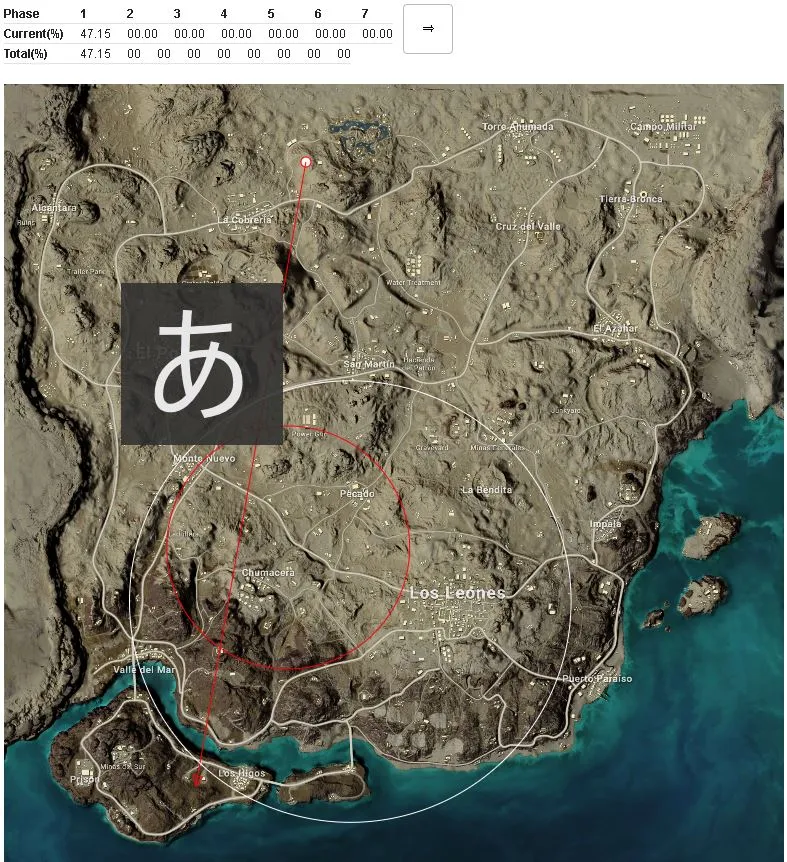
Screenshots
You can take screenshots with a single click! Use this when you want to compare data or share it during review sessions!
How to use
To reduce fixed operating costs, this app is available only to people who request access. Please contact me via Twitter DM or through the relevant tweet!
![[PUBG] I Released Steins.GG, a Match Analysis System!](https://blog.devkey.jp/en/posts/release-steinsgg/index.png)
![[PUBG] I Revived the Steins.GG Match Analysis System as a Limited Release](https://blog.devkey.jp/en/posts/steinsgg-is-back/index.png)
![[PUBG] How to Create an API Key](https://blog.devkey.jp/en/posts/how-to-create-pubg-api-key/index.png)
![[PUBG] Lessons from Building and Operating Steins.GG, a Match Analysis Web App with 80,000 Cumulative Users](https://blog.devkey.jp/en/posts/steinsgg-lessons-learned/index.png)
![[PUBG] My Experience Working as an Analyst for a Top-Division Pro Team](https://blog.devkey.jp/en/posts/my-pro-league-analyst-experience/index.png)