


The video clipping feature that used to exist in browser Twitter was genuinely convenient.
These days, even when you only want to trim out a few seconds, having to edit → save → attach the file is a hassle.
With the Easy Video Trimmer for X.com extension, you can trim a video right from the post composer and attach it as-is, so here is a quick introduction.
Table of Contents
Open Table of Contents
What is Easy Video Trimmer for X.com?

Brought back the super-handy video clipper Twitter removed—rebuilt for X.com. Adds a scissors icon to the post composer so you can drop in a video, drag start/end handles, and trim in seconds.
With Easy Video Trimmer for X.com, you can:
- open the clip (trim) screen from the X.com post composer
- attach the trimmed video directly to X.com without saving it to your PC
- convert the video into a format that is easy to post to X.com, which also makes issues like audio desync less likely
This is for people who are tired of the whole “I only want to trim a tiny bit of video, but I have to open editing software → export → attach the file to X.com… → delete the file I no longer need” flow (me…).
Recommended for
- People who upload videos to X.com frequently
- People who often just want to trim a few seconds without doing advanced editing
- People who want to stop their Downloads folder from filling up with videos
How to use it
- Add the extension to Chrome
- After adding it, restart Chrome and the icon will appear
- Launch the extension from the
X.compost composer
- Attach a video. Drag and drop it, or click
Open fileto select one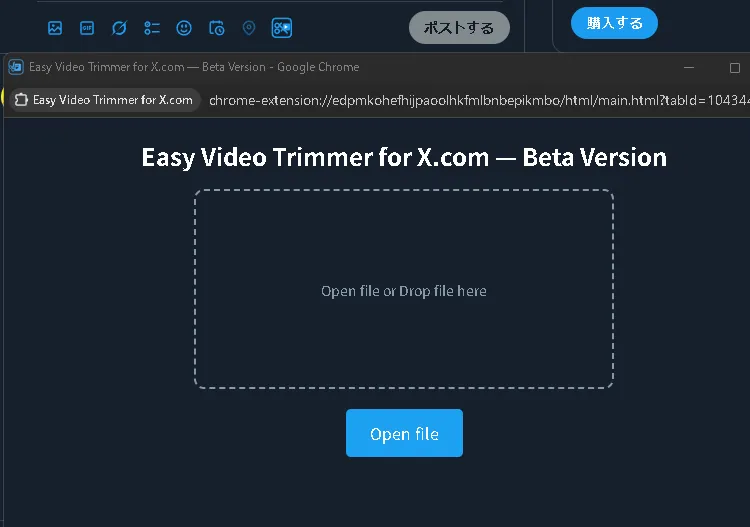
- Press the
✂Clipbutton in the bottom right and choose the range you want to trim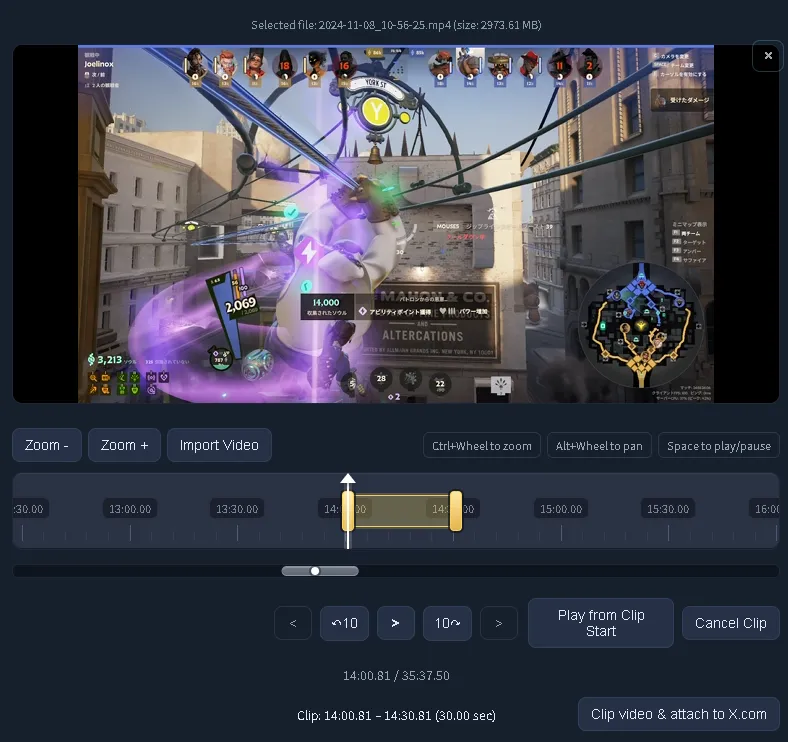
- Click
Clip video & attach to X.comto start encoding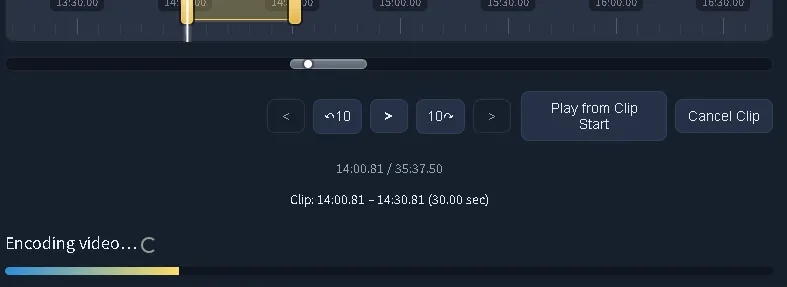
- Once encoding finishes, the clipped video is automatically attached to the
X.compost composer - Then just tweet (post) as usual
Features
Zoom-/Zoom+: Zoom the timeline scale in and out, making it easier to select a precise range- You can also zoom with
Ctrl + wheel
- You can also zoom with
Alt + wheel: Move the visible range left and right (pan)Play from Clip Start: Play back only the selected clip range to check it
What makes this extension useful
Feature 1: Open the editing screen directly from X.com
Instead of having to open a specific app or jump to some editing website every time you want to edit a video, you can open the clip screen directly from the X.com post composer, which is so much easier.
Feature 2: No download needed! Attach clipped videos directly to X.com
With typical video editing, you often have to save the edited video to your PC first and then attach it. With this extension, you can attach the clipped result directly to X.com without saving the video to your PC! No more unnecessary temporary files piling up.
Feature 3: Automatically convert to X.com’s recommended codecs
If you have ever posted a video to X.com and thought, “the audio is out of sync…,” you know the pain. This extension automatically converts videos to an X.com-recommended format, so it helps prevent those kinds of issues too.
Bonus
There is also an article about the technical side. If you are interested, please check it out!

I Want to Use Browser Twitter’s Video Clip Feature on X.com Too! [Easy Video Trimmer for X.com]
I Want to Use Browser Twitter’s Video Clip Feature on X.com Too! [Easy Video Trimmer for X.com]



![[GUNDAM EVOLUTION] How to Get More FPS Even on a Low-Spec CPU](https://blog.devkey.jp/en/posts/gundam-evolution-fps-optimization/index.png)