


steins.gg.steins.gg was shut down because the .gg domain was expensive to maintain and I could no longer keep operating the site.
Good morning/afternoon/evening! It’s me, the author, and lately I’m totally hooked on CS:GO!
Recently, while browsing Twitter, I often see people using K65 (silver switches) or K70 (silver switches).
I also use a K95, which has silver switches too, and with one small tweak I was able to take full advantage of the input speed of a silver-switch keyboard. So this time, I want to share that method!
Table of Contents
Open Table of Contents
What Is a Mechanical Keyboard?
There are many different types of keyboards out there.
- Membrane
- Pantograph / scissor-switch
- Mechanical ← the focus of this article
- Electrostatic capacitive contactless
Mechanical keyboards are known for fast response and excellent durability because each key operates independently. I think most gamers basically choose this type.
What Are Silver Switches?
The appeal of a silver-switch keyboard, in one sentence, is that “inputs are incredibly fast!”
The reason is that the actuation point is designed to be extremely shallow.
A typical mechanical keyboard needs to be pressed about 2.1 mm, but a silver switch registers an input after the key is pressed only 1.5 mm.
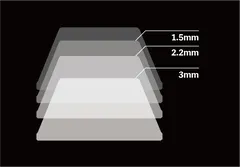
I think it is a great fit for FPS players who are fighting in fractions of a second.
Drawbacks
However, silver switches also have a major drawback. Because the actuation point is shallow, there tends to be a slight delay between releasing the key and the input turning off. The inconvenient part is that the input can remain active if you only lift your finger slightly.
| Switch | Type | Input ON (actuation begins) | Input OFF (where the input stops) |
|---|---|---|---|
Silver | Linear | About 1.5 mm | About 2.5 mm |
| Red | Linear | About 2.0 mm | About 2.0 mm |
| Blue | Clicky | About 2.2 mm | About 1.8 mm |
Solution
That is why I recommend installing silencing rings! They are originally cushions that soften the impact sound when a key bottoms out, but installing them makes the bottom-out depth shallower and physically makes the point where the input turns off shallower as well.
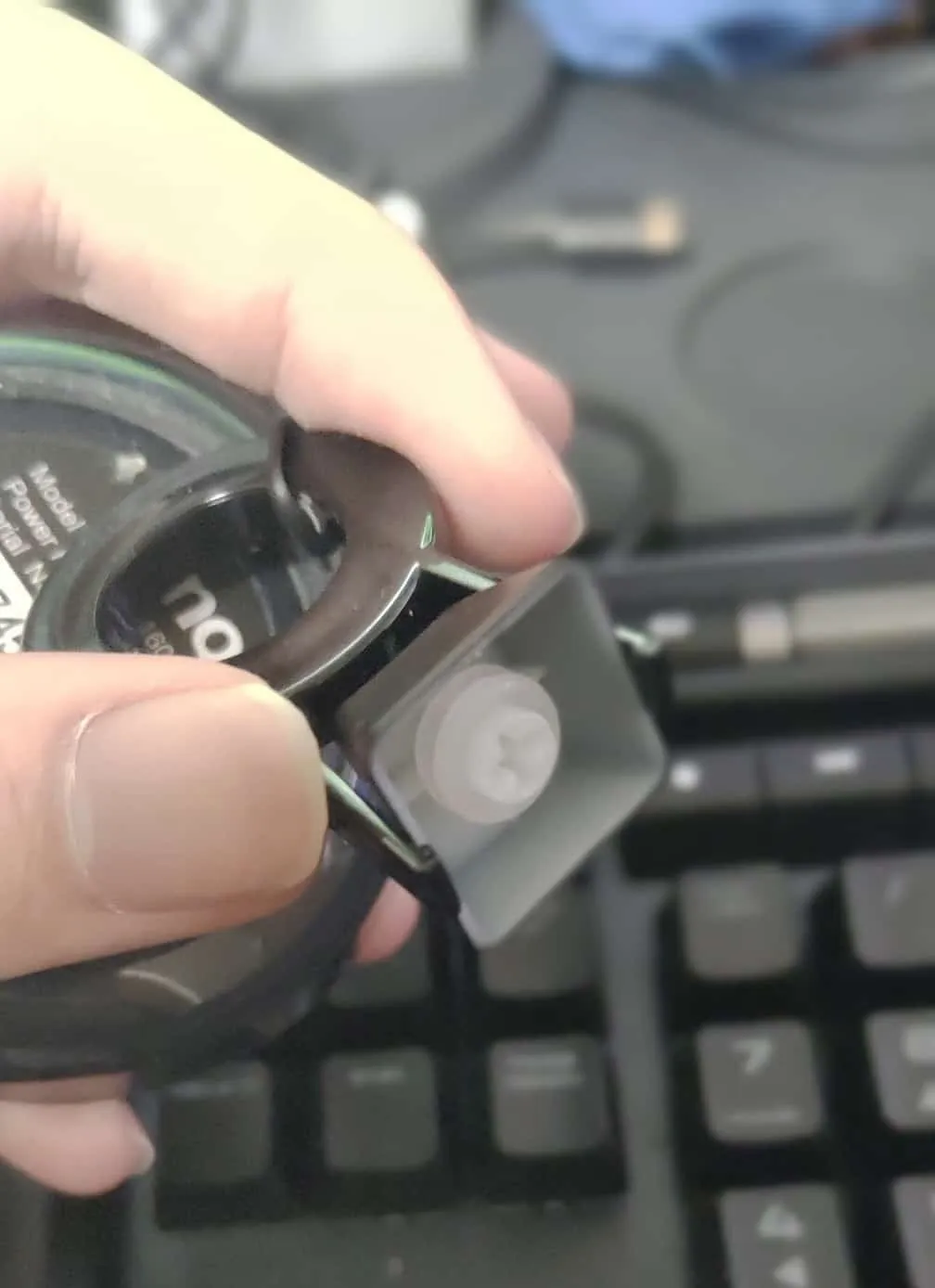
In my case, I actually use two silencing rings on each key.
For reference, Laz and crow from Absolute, Japan’s strongest CS:GO team, apparently use three silencing rings on their K70 keyboards.
crow: Hmm, I am also the type who changes gaming devices pretty often, but I have been using the “Corsair K70 RGB RAPIDFIRE” keyboard for a long time. At an overseas offline tournament, I got to try the keyboard Laz was using. It was the same model, but it felt different, so I asked, “Did you do something to it?” and he told me he had put in silencing rings.
Laz: It shortens the travel range where the input responds.
crow: The keys return faster. That is why I use three of those rings. I really cannot change away from this now.
Products I Bought
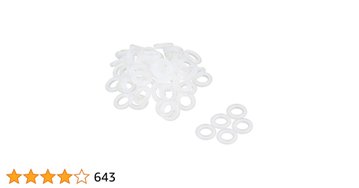
SCYTHE Cherry MX-compatible Silencing Rings MXORDP, Black
Compatible with keyboards using Cherry MX switches and compatible mechanical switches such as Kaihua. Reduces keystroke travel by about 2 mm to reduce stress during high-speed typing. Size: 4.5 × 2.0 mm (inner diameter × thickness).
Closing
This time, I introduced a customization method that solves an input-related drawback of silver-switch keyboards. Personally, my input accuracy improved enough that I could really feel the effect, so please give it a try!

![[CS:GO] Seriously the Strongest Aim Training Method](https://blog.devkey.jp/en/posts/csgo-aim-training/index.png)

![[PUBG] Lessons from Building and Operating Steins.GG, a Match Analysis Web App with 80,000 Cumulative Users](https://blog.devkey.jp/en/posts/steinsgg-lessons-learned/index.png)
![[Built to Last a Lifetime] Reviewing the Ultimate Metal Mouse Pad [NINJA RATMAT SHA]](https://blog.devkey.jp/en/posts/ninja-ratmat-sha-review/index.png)